
Home  /  Services  /  Software Development · Business Automation

Business Automation

The same data entered four times is a process problem. We build the machine that moves it once.

Every business runs on small handoffs: the order that gets keyed again, the approval that chases an inbox, the report that someone rebuilds every Monday. None of them looks like a problem on its own; together they are the difference between a business that scales and one that just gets louder. We automate the handoffs — the data moves once, the notifications find the person, the report writes itself.

  • Mapped to your real process first — automation without a map is chaos at speed
  • Data sync between the systems you already run, with failure alerts
  • Approvals, notifications and reminders that run without a human chasing
  • Self-updating reports: the number arrives, not the spreadsheet labor
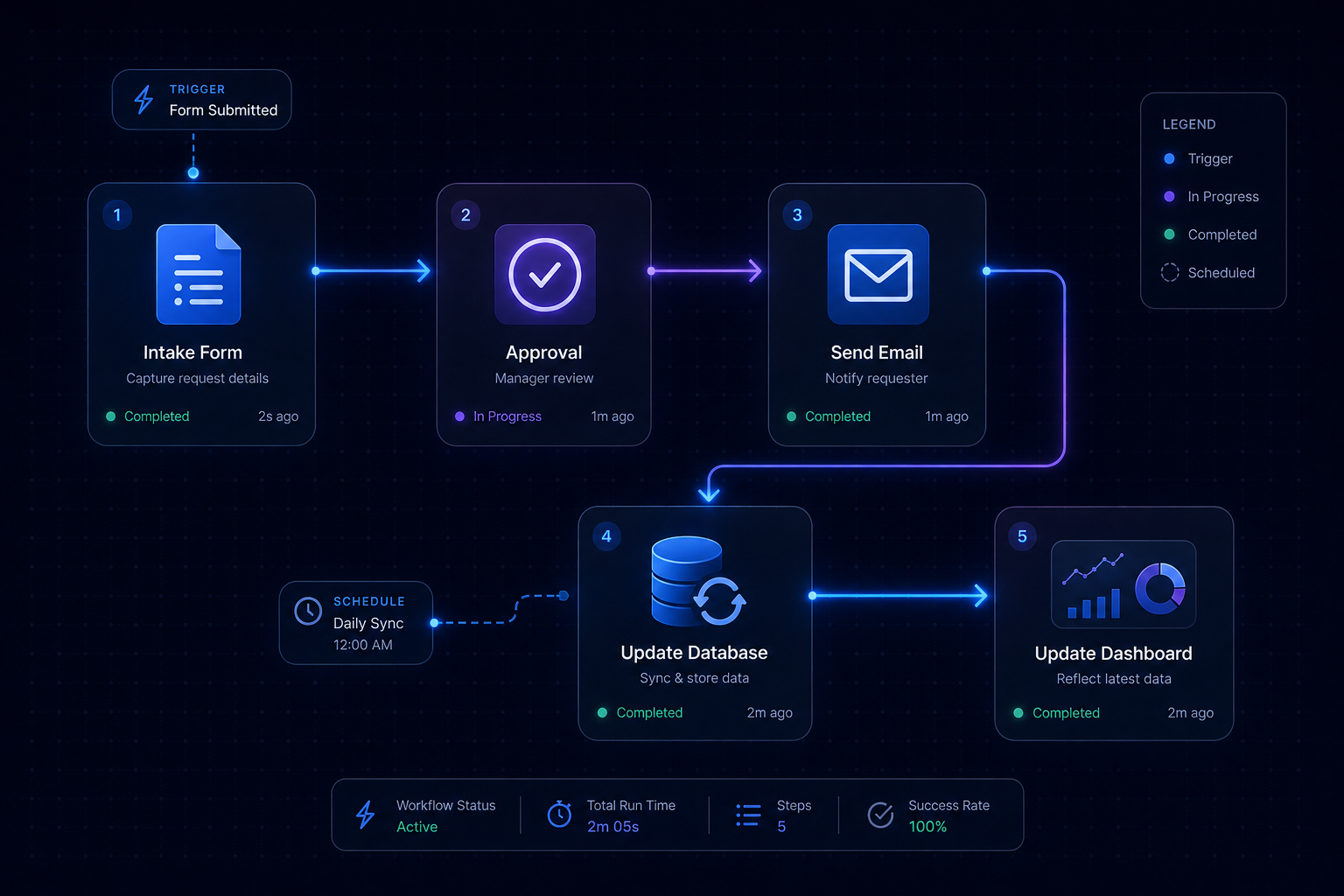
Visual representing Business Automation
Software Development Outcomes first
THE SERVICE SYSTEMBusiness Automation 19
Trigger Decide Move

The problem

The handoff tax.

Follow one order through the business: it is typed at the counter, retyped into the system, re-confirmed in an email, re-counted in the weekly report. Follow one invoice: raised, chased, reconciled, filed. Each step is a person, with attention, doing a machine’s job — and each step is where the error, the delay and the “I thought you had it” are born.

The tax is invisible in the budget and enormous in the hours: it is the Monday report, the Friday reconciliation, the inbox full of approvals. And it scales with the business — the bigger you get, the more copies get made.

Sound familiar?

  • The same information is typed into two or three systems
  • Someone “owns” a report they spend half a day rebuilding
  • Approvals live in an inbox and stall with it
  • Growth means more copy-paste, not more profit

What we actually do

The automation stack, in four blocks.

The patterns we build, from simple to systematic:

01

Workflow automation

The handoffs, removed.

  • Order-to-fulfilment flows: capture, route, confirm, deliver — in one pass
  • Approval chains with delegation, deadlines and escalation
  • Onboarding, offboarding and recurring task sequences
  • The “chase” flows: follow-ups and reminders that run without a person

02

Data synchronization

One truth, many systems.

  • Connectors between POS, CRM, e-commerce, accounting and the rest
  • Conflict rules: when two systems disagree, the resolution is designed
  • Idempotent, retried, logged — a failed sync is an alert, not a surprise
  • Historical backfill and verification reports on cutover
03

Notifications & comms

The right person, the right moment.

  • Email, SMS, in-app and push, chosen per workflow and per urgency
  • Customer communications triggered by the state, not the staff effort
  • Internal alerts with context: what happened, what is needed, by when
  • Digest mode: the noise is batched where people cannot act in seconds
04

Self-running reports

The Monday, retired.

  • Reports assembled from the flow’s own trail — not re-keyed data
  • Scheduled delivery to the people and the meetings that run on them
  • Anomaly flags: the number that moved, explained by the event
  • The feed for your dashboards, live instead of weekly

The machine

The workflow, on rails.

How a manual handoff becomes a designed, monitored flow.

01

Trigger

The flow starts from reality: the order, the form, the payment, the stock level, the time — not from a human remembering.

02

Decide

The rules run: who, what, where, how much — your business logic encoded and documented, not in a person’s head.

03

Move

The data moves: written to the right system, in the right shape, with the receipt logged.

04

Notify

The right person is told, in the right place, with the context to act — and only when action is needed.

05

Verify

The flow checks itself: the write landed, the sync matched, the exception is flagged to a human with the details.

06

Report

The outcome is recorded and aggregated — the report updates itself because the flow leaves a trail.

Every flow we build has an exception path. Automation that cannot fail gracefully does not fail gracefully — it fails silently, and silent is the expensive kind.

How it works

From handoff tax to automatic.

Week 1–2

Workflow map

We trace the actual flows — the order, the approval, the report — with every handoff, copy and chase written down. This map is the project’s contract.

Week 3

Automation design

Each handoff gets a design: the trigger, the rules, the failure path, the exception. We rank them by hours saved versus build cost — you see the list, you pick the order.

Week 4–8

Build

Flows built and tested in your environment with real data shapes. Each flow goes live separately — no big-bang, no system held hostage.

Week 8–10

Parallel & verify

The automated flow runs beside the manual one for a cycle; the outputs are compared and the exceptions worked out before the manual path retires.

Ongoing

Monitor & extend

Flows monitored with a health view: run counts, failures, durations. The workflow map grows — the next handoff is already waiting to be automated.

Scope of engagement

Every deliverable, named upfront.

  • The workflow map: every handoff counted and prioritized
  • Automated flows with rules, exceptions and dead-letter handling
  • System-to-system sync with conflict rules and verification
  • Notification design per workflow and per urgency
  • Self-assembling reports on the schedule your meetings run on
  • A flow health view: runs, failures, durations, waiting items
  • Documentation: the rules in writing, changeable by your team

FAQ

Automation, straight answers.

Sometimes yes, sometimes no — and we will tell you which. Off-the-shelf automation platforms are great for simple connect-the-dots flows. When the logic is your business logic (complex rules, exceptions, integrations into your own systems), custom-built flows on the stack you already run are usually cheaper and far more robust. The workflow map decides; the decision is written down with both costs.

It is designed not to fail silently — that is the first rule. Every flow has retries with backoff, a dead-letter path where failed items wait with their context, and an alert to the person who can act. You get a health view: what ran, what failed, what is waiting. A flow you cannot audit is a liability wearing a time-saving costume.

The workflow map counts it first: each handoff has an estimated frequency and a measured time cost — the hours are on the table before we build anything. After cutover we compare the cycle: the same week, the new path, the hours actually spent. If the savings do not show, we say so and look at why.

Changes are the normal state, and the design accepts it: rules live in a documented layer your team can see, and the common changes (a new product, a new supplier, a threshold) are parameter changes, not rebuilds. Bigger process changes go through the same map-then-build loop — the map is why the next change is a week, not a quarter.

What do your people do every week that a machine should do?

List the handoffs: what gets copied, chased, re-entered and rebuilt. We will map them and show you the automated version — with the hours it buys you, counted.

Still comparing options? Ask Alia, our growth assistant — bottom-right corner. She’ll point you to the right service or blueprint, and hand you to a human when she doesn’t know.