
Home  /  Services  /  Software Development · Mobile Application Development

Mobile Application Development

Android, iOS and cross-platform apps that feel native and run on your systems.

Your business has moved to the phone — your customers, your field team, your warehouse. An app is not a website in a frame; it is a tool with camera, location, push and offline moments. We build mobile apps that work like tools, not brochures: fast, reliable, and wired into the systems that run your business.

  • Native (Android / iOS) or cross-platform — chosen for your use case, not fashion
  • Offline-first where the signal is not: warehouses, vehicles, sites
  • Push, camera, location and biometrics used where they actually help
  • One codebase for your backend — the app is the front door to your data
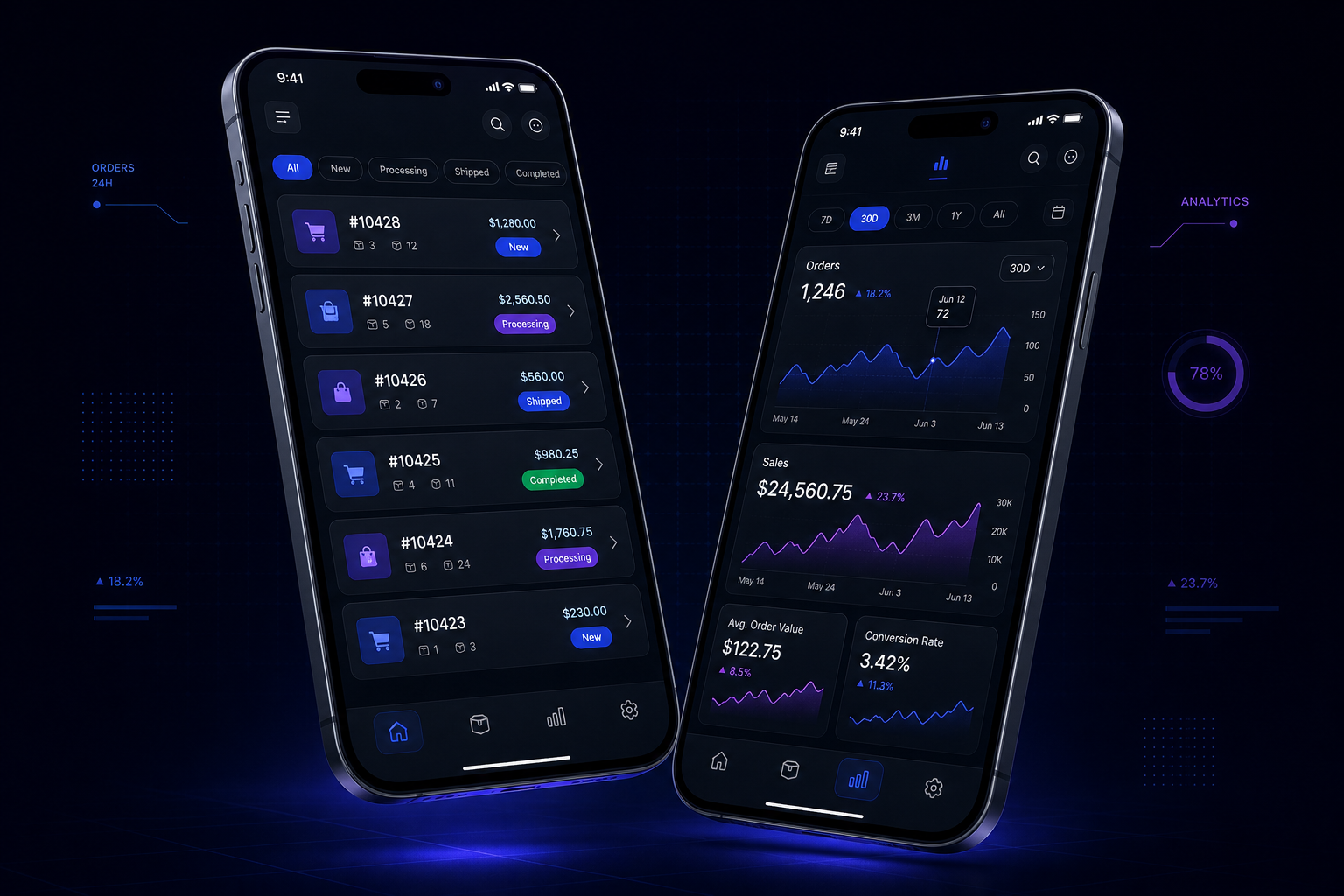
Visual representing Mobile Application Development
Software Development Outcomes first
THE SERVICE SYSTEMMobile Application Development 11
Job Platform Build

The problem

The mobile gap.

Most business software is built for a desk. But the order is placed from a car, the stock is counted in a warehouse with no signal, the technician signs off on a job from a ladder, and the customer asks on WhatsApp at 9pm. Every one of those moments currently runs through a phone that was never designed for the job — a camera app, a spreadsheet, a message chain.

That gap is a tax. It is slow handovers, data entered twice, and customers waiting while the “system” catches up with the real world.

Sound familiar?

  • Your team works in the field but reports from a desk, hours later
  • Customers buy or book by phone call because the app “is coming soon”
  • Orders entered twice: once on site, once back at the office
  • No way to get a person’s attention instantly except a phone call

What we actually do

The mobile stack, end to end.

Four workstreams from first screen to app store:

01

Product & UX

Apps people actually open again.

  • Job-based design: the app is organized around the task, not the database
  • Thumb-reach layouts, big touch targets, zero fiddly inputs on the go
  • Empty, loading and error states designed — not discovered in anger
  • Offline behaviour defined before build: what works, what queues, what warns

02

Engineering

Native feel, maintainable code.

  • Kotlin/Swift for native, or a cross-platform stack when one codebase pays off
  • Local storage and background sync for unreliable connectivity
  • Camera, location, biometrics and push — wrapped, tested, permission-honest
  • CI builds per milestone: your team tests real APKs/IPAs, not screenshots
03

Backend & data

The phone is a client; the truth lives in your systems.

  • Secure API with token auth, device registration and rate limits
  • Conflict-aware sync: two devices, one stock count, no lost updates
  • The same API feeds your dashboards — no data trapped in a phone
  • Webhooks and logs so every write is traceable
04

Release & care

Shipping is a system, not an event.

  • Google Play / App Store releases, or enterprise and direct distribution
  • Crash reporting, performance budgets and update analytics
  • Staged rollouts with instant rollback
  • Maintenance: OS updates, store reviews and dependency hygiene

The machine

From a phone-based job to a phone-based system.

How a mobile project goes from “we should have an app” to something people use every day.

01

Job

We map the exact jobs done on the move — the order, the count, the sign-off — and what happens to that data next.

02

Platform

Native, cross-platform or hybrid: decided by your users, your update cadence and your budget — with the trade-offs written down.

03

Build

Short sprints with real builds on real devices. Your team installs the app and breaks it from week one.

04

Connect

The app talks to your backend, your POS, your CRM or a new API — with sync, auth and offline handling done properly.

05

Ship

Store releases or enterprise distribution, staged rollout, and the crash and performance monitoring switched on.

06

Grow

Usage data tells us what to improve: the screens people skip, the syncs that fail, the features that get loved.

Every app ships with a backend story — authentication, sync and an API — so the phone is never the source of truth that nobody can read.

How it works

From kickoff to installed.

Week 1–2

Job mapping

The on-the-move jobs, the data they touch, the connectivity reality — and the platform decision, in writing.

Week 3–4

Design

Screen design and the API contract, reviewed with the people who will use the app every day.

Week 5–10

Build

Iterative development with installable builds from week five. Real devices, real data shapes.

Week 10–12

Sync & test

Offline/online cycles, multi-device sync, crash and performance passes on production-like load.

Week 12–13

Release

Store or enterprise distribution, staged rollout to your team, monitoring live.

Ongoing

Improve

Usage and crash data drive the roadmap; maintenance keeps the app current as phones and OSes move.

Scope of engagement

Every deliverable, named upfront.

  • Android and/or iOS application, built for real devices
  • Secure backend API with authentication and sync
  • Offline and low-signal handling where the job demands it
  • Push notification setup for the moments that matter
  • Store release or enterprise distribution, handled
  • Crash reporting and performance monitoring live
  • Full ownership: source, store accounts and signing in your hands

FAQ

Mobile apps, straight answers.

Both, and the choice is honest math, not religion. Cross-platform (one codebase, both stores) wins when your app is mostly screens, lists and forms and you need both platforms soon. Native wins when you need the deepest hardware access, the heaviest performance, or one platform first. We decide with you at discovery, in writing, and the architecture keeps both options open for as long as it reasonably can.

If the job happens where the signal is weak — warehouse, vehicle, site — we design offline-first: local storage, queued writes, conflict-aware sync, and honest “waiting to sync” states. If the job always happens on good WiFi, we build simpler. Offline is a design decision, not a feature toggle.

That is the point. The app ships with an API layer that reads and writes the same data as your website, POS or CRM — so a sale on the phone is a sale in the dashboard. If your current system has no API, we build a thin integration layer for it.

You own the code and the store accounts. We offer maintenance — OS compatibility, dependency updates, store review handling — because phones move fast. But there is no dependency trap: the source, the signing and the store accounts are yours from day one.

What should happen on the phone that cannot happen anywhere else?

Describe the job your team or your customers do on the move. We will tell you the fastest, cheapest way to put it in their hands — and what it will cost.

Still comparing options? Ask Alia, our growth assistant — bottom-right corner. She’ll point you to the right service or blueprint, and hand you to a human when she doesn’t know.